How to Use Stickies
Learn how to use stickers in iMessage and import from WeChat
Using Stickers in iMessage
Download a Collection
Open Stickies, browse collections, and tap download.
Send in iMessage
In Messages, tap the Stickies icon to open your stickers. Tap to send, drag onto a message, or peel and place.
Sharing Stickers in iMessage
You can share a link to any sticker collection directly from the iMessage extension — great for recommending stickers to friends.
Open the Stickies Extension
In iMessage, tap the Stickies icon to open your sticker collections.
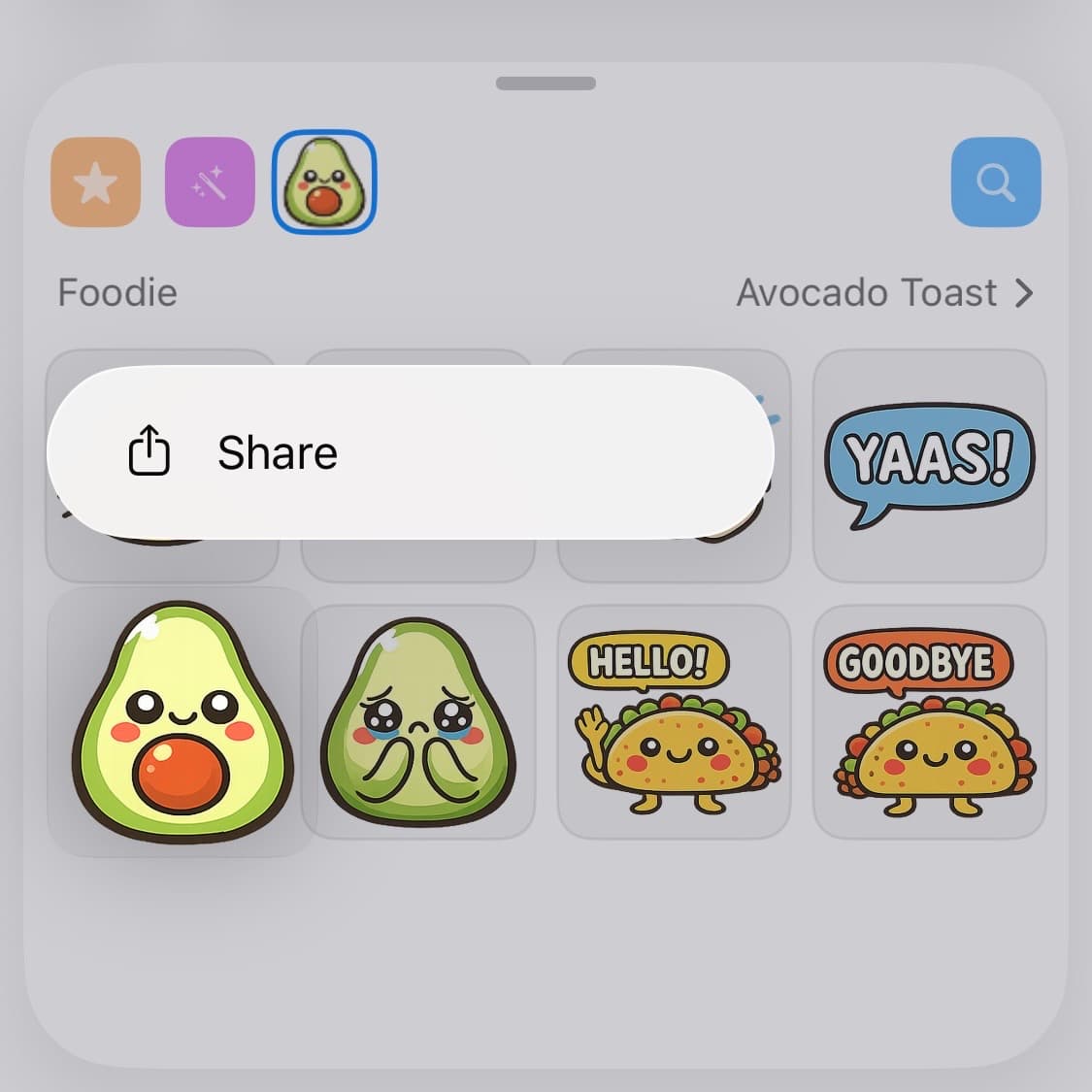
Long-press a Sticker
Press and hold any sticker to reveal a context menu with sharing options.
Tap "Share" to Send a Link
Tap the Share option to generate a link to that sticker's collection. Send it in the conversation so your friend can download the same pack.
Importing Stickers via WeChat
Follow the Official Account
Open WeChat and search for Stickies搬运号

Scan to follow
Link Your Account
Send any text message in the chat. You'll receive a link — tap it to open Stickies and confirm the connection.
Send Stickers
Send any sticker (static or animated) to the official account. They'll be synced to your Stickies library automatically.
Use in iMessage
Open Stickies to find your imported stickers, ready to use in iMessage.
Need Help?
Having trouble linking or importing? Send any message to the WeChat official account for guidance, or email support@stickies.store
Import from other platforms
Import from Line
Copy the pack URL
In the Line app or store.line.me, open the sticker pack and tap Share → Copy Link.
Open Stickies
On the Create tab, tap Add from a link — or tap Share → Stickies from Line itself.
Confirm import
Stickies shows the pack preview. Tap Import to add it to your library.
Animated Line packs import as APNG. Popup, sound, and custom-text packs aren't supported yet.
Import from Kakao
Copy the Emoticon URL
Open e.kakao.com or the KakaoTalk store page for the pack, then copy the link.
Open Stickies
On the Create tab, tap Add from a link — or share the URL to Stickies from KakaoTalk.
Confirm import
Kakao packs import as 176×176 static images. Animated Kakao packs aren't supported.